- Assurez vous d'avoir l'instruction
"AllowOverride All" dans les paramètres de votre docroot dans la configuration de votre vhost. Cette instruction va autoriser apache à vérifier s'il y a un htaccess sur le répertoire.
- Creer un fichier nomme ".htaccess" dans votre docroot puis éditer les règles
[root@ip-172-31-37-139 pp.blog]# cat .htaccess
AuthType Basic
AuthName "Accès Restreint"
AuthUserFile /data/web/pp.blog/.htpasswd
Require valid-user
- Installer le package httpd-tools qui vous fournit l'outil htpasswd essentiel pour génerer le hash de votre mot de passe
[root@ip-172-31-37-139 ~]# yum info httpd-tools
Amazon Linux 2023 repository                                                                                             26 kB/s | 3.6 kB     00:00
Amazon Linux 2023 Kernel Livepatch repository                                                                            16 kB/s | 2.9 kB     00:00
Installed Packages
Name         : httpd-tools
Version      : 2.4.62
Release      : 1.amzn2023
Architecture : x86_64
Size         : 201 k
Source       : httpd-2.4.62-1.amzn2023.src.rpm
Repository   : @System
From repo    : amazonlinux
Summary      : Tools for use with the Apache HTTP Server
URL          : https://httpd.apache.org/
License      : Apache-2.0 AND (BSD-3-Clause AND metamail AND HPND-sell-variant AND Spencer-94)
Description  : The httpd-tools package contains tools which can be used with
             : the Apache HTTP Server.
- Créér et générer le hash de votre mot de passe
[root@ip-172-31-37-139 pp.blog]# htpasswd -c /data/web/pp.blog/.htpasswd user_name

[root@ip-172-31-37-139 pp.blog]# cat .htpasswd
user_name:$apr1$xkHx90pr$7iI.wGBJK.G9nOj1dEVE71
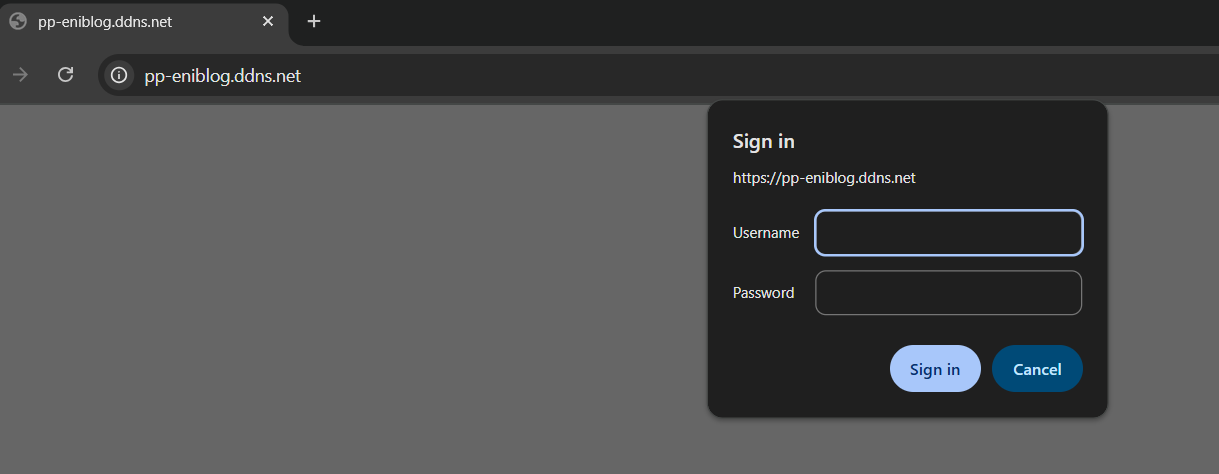
- Test depuis un navigateur web